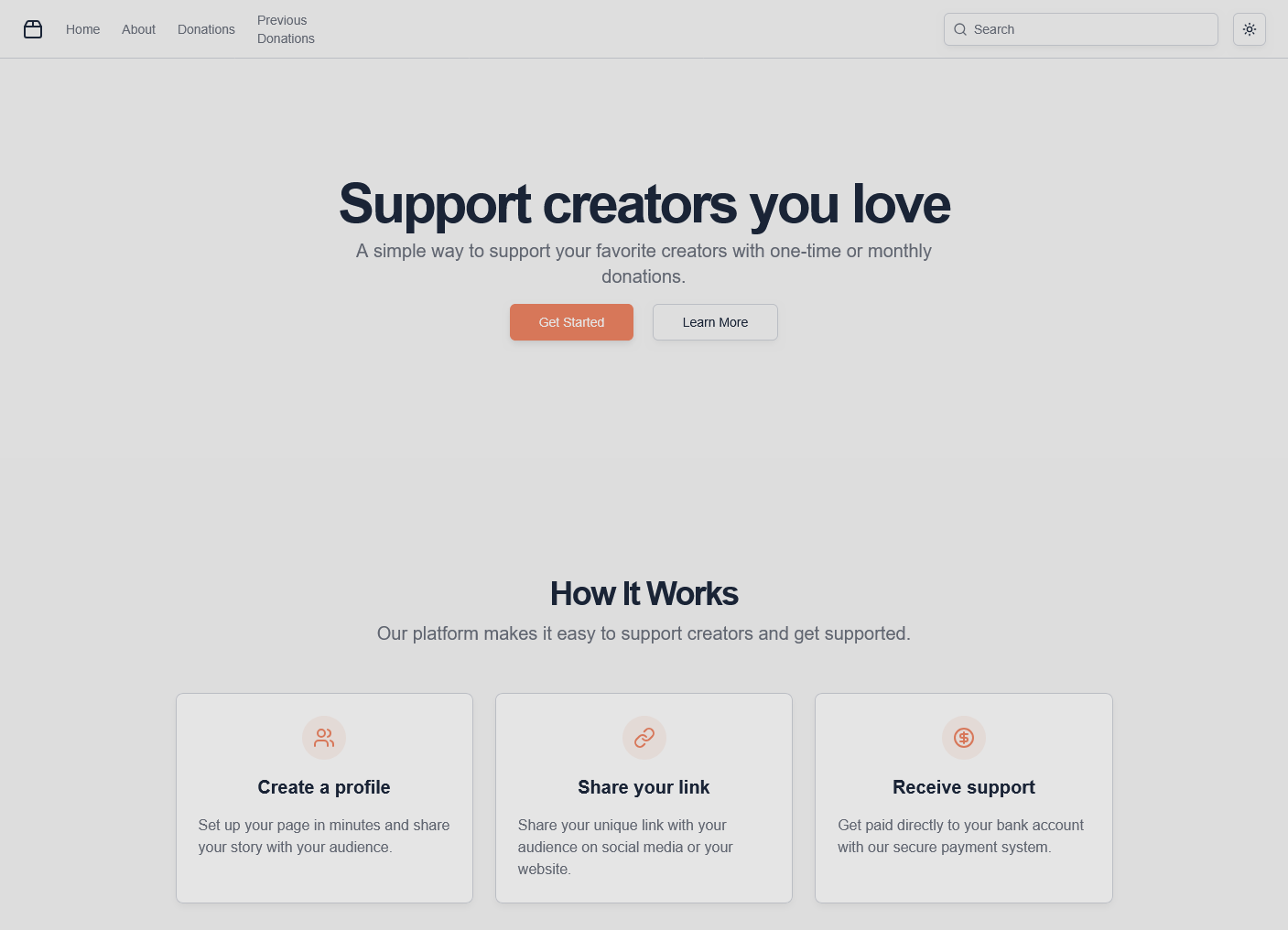
DonationsApp: Self-Hosted Donations Platform
A modern, self-hostable platform for creators, artists, and content creators to accept donations directly from their supporters. DonationsApp provides a Ko-fi or Patreon-like experience with full control over your data and branding.
Overview
DonationsApp is a lightweight yet powerful donation platform designed for independent creators who want to monetize their work while maintaining complete control. Unlike traditional platforms, DonationsApp can be self-hosted, giving you full ownership of your donation system, supporter data, and customization options.
Features
- Donation Management: Accept one-time and recurring donations from supporters
- Payment Processing: Secure payment handling via Paystack
- Creator Dashboard: View donation history, analytics, and supporter information
- Customizable Pages: Create personalized supporter pages with custom branding
- Form Validation: Client-side and server-side validation with Zod
- Supporter Tracking: Store and manage supporter information
- Receipt Management: Automatic receipt generation for donors
- Responsive Design: Beautiful UI that works across all devices
Tech Stack
-
Frontend:
- SvelteKit - Modern web framework
- Tailwind CSS - Utility-first styling
- shadcn-svelte - UI component library
- Superforms - Form handling and validation
-
Backend:
- SvelteKit API routes for server-side logic
- Zod - TypeScript-first schema validation
-
Payments:
- Paystack - Payment gateway for African markets
-
Data Storage:
- Airtable - Flexible database for supporter data
Getting Started
Prerequisites
- Node.js (v16 or higher)
- pnpm or npm package manager
- Paystack account for payment processing
- Airtable account for data storage
Installation
-
Clone the repository:
Terminal window git clone https://github.com/Abdulkareemoj/DonationsApp.gitcd DonationsApp -
Install dependencies:
Terminal window pnpm install -
Set up environment variables:
Terminal window cp .env.example .env.local# Add your Paystack API key and Airtable credentials -
Start the development server:
Terminal window pnpm run dev -
Open
http://localhost:5173in your browser
Configuration
Configure your donation platform by setting:
- Paystack API keys for payment processing
- Airtable base and table IDs for data storage
- Custom branding and page styling
- Donation tiers and amounts
Core Features
Donation Management
- One-time Donations: Single payment support with custom amounts
- Recurring Donations: Monthly subscription-style support
- Custom Tiers: Predefined donation levels with benefits
- Goal Tracking: Visual progress bars for fundraising campaigns
- Multiple Currencies: Support for various payment methods and regions
Creator Dashboard
- Analytics Overview: Real-time donation metrics and trends
- Supporter Management: View donor information and contribution history
- Revenue Tracking: Monthly and yearly financial summaries
- Campaign Management: Create and manage fundraising campaigns
- Export Data: Download supporter data for external analysis
User Experience
- Mobile-First Design: Optimized for mobile donations and browsing
- Fast Checkout: Streamlined payment process with minimal friction
- Social Proof: Display recent donations and supporter count
- Custom Branding: Personalizable colors, logos, and messaging
- Multi-Language Support: Internationalization for global creators
Technical Architecture
Frontend Stack
- SvelteKit: Modern web framework with excellent performance
- Tailwind CSS: Utility-first styling with custom design system
- shadcn-svelte: High-quality, accessible Svelte components
- Superforms: Advanced form handling with validation
- TypeScript: Type-safe development and enhanced tooling
Backend Infrastructure
- SvelteKit API Routes: Serverless API endpoints with SSR support
- Zod Validation: Runtime type checking and schema validation
- Paystack Integration: Secure payment processing for African markets
- Airtable API: Flexible database operations and data management
- Session Management: Secure user sessions and data persistence
Payment Processing
- Paystack Gateway: Reliable payment processing with multiple methods
- Webhook Handling: Real-time payment confirmation and status updates
- Security Measures: PCI compliance and secure data handling
- Error Handling: Graceful failure recovery and user feedback
- Transaction Logging: Complete audit trail for all payments
Database Schema
The platform uses Airtable as a flexible database with the following structure:
- Supporters: Donor profiles with contact information and preferences
- Donations: Transaction records with amounts, dates, and status
- Campaigns: Fundraising goals with progress tracking
- Rewards: Tier-based benefits and deliverables
- Analytics: Aggregated data for reporting and insights
Security Features
- Payment Security: PCI-DSS compliance through Paystack
- Data Validation: Client and server-side validation with Zod
- CSRF Protection: Cross-site request forgery prevention
- Rate Limiting: API protection against abuse and spam
- Secure Storage: Encrypted data storage and transmission
Performance Optimizations
- Bundle Optimization: Tree-shaking and code splitting for fast loads
- Image Optimization: Responsive images with lazy loading
- Caching Strategy: Aggressive caching for static assets
- CDN Integration: Global content delivery for fast access
- Database Optimization: Efficient queries and data pagination
Development Workflow
Environment Setup
- Clone repository and install dependencies with pnpm
- Configure Paystack account and obtain API keys
- Set up Airtable base and configure table structure
- Create environment variables with all required credentials
- Start development server with hot reload support
Configuration Files
# Environment variablescp .env.example .env.local
# Install dependenciespnpm install
# Start developmentpnpm run dev
Testing Strategy
- Unit Tests: Component testing with Vitest
- Integration Tests: API endpoint testing
- E2E Tests: User flow testing with Playwright
- Payment Testing: Sandbox environment for Paystack testing
- Form Validation: Comprehensive input validation testing
Deployment Options
Vercel Deployment (Recommended)
# Install Vercel CLInpm install -g vercel
# Deploy to productionvercel --prod
Alternative Platforms
- Netlify: Automatic deployments from Git
- Railway: Full-stack application hosting
- DigitalOcean: Custom server deployment
- AWS: Cloud infrastructure deployment
Customization Guide
Branding Configuration
- Colors: Customize theme colors via CSS variables
- Typography: Configure fonts and text styles
- Logo: Upload custom branding assets
- Favicon: Set custom browser icons
- Meta Tags: Configure SEO and social media metadata
Payment Configuration
- Paystack: Set up payment methods and currencies
- Webhooks: Configure payment confirmation endpoints
- Fees: Handle platform fees and transaction costs
- Refunds: Manage refund policies and processes
Content Management
- About Page: Customize creator story and mission
- Campaign Pages: Create compelling fundraising content
- Reward Tiers: Design attractive supporter benefits
- Email Templates: Customize notification messages
Analytics and Monitoring
Key Metrics
- Donation Volume: Track total and average donation amounts
- Supporter Growth: Monitor new supporter acquisition
- Campaign Performance: Measure fundraising goal completion
- Retention Rates: Track recurring donation sustainability
- Geographic Data: Analyze supporter distribution
Monitoring Tools
- Vercel Analytics: Performance and usage metrics
- Paystack Dashboard: Payment transaction monitoring
- Airtable Logs: Database operation tracking
- Error Tracking: Comprehensive error reporting
Future Enhancements
- Multiple Payment Gateways: Stripe, PayPal, and regional processors
- Advanced Analytics: Machine learning insights and predictions
- Mobile Apps: Native iOS and Android applications
- Social Features: Community building and supporter interaction
- Email Marketing: Integrated newsletter and campaign tools
- API Access: Third-party integrations and webhooks
Troubleshooting Guide
Common Issues
- Payment Failures: Check Paystack configuration and API keys
- Form Validation: Verify Zod schemas match frontend forms
- Airtable Sync: Ensure API credentials and base permissions
- Environment Variables: Confirm all required variables are set
Debug Tools
- Browser DevTools: Network inspection and console logging
- Vercel Logs: Deployment and runtime error tracking
- Paystack Sandbox: Test payment flows without real transactions
- Airtable Interface: Direct database inspection and management
This platform demonstrates modern SaaS development with a focus on creator monetization, user experience, and flexible customization options.